
1 / 2Steam
Цены · Казахстан
Валюта: KZT. Нажмите, чтобы открыть страницу игры в магазине.
- Steam−20%Открыть в Steam ↗
250 ₸200 ₸Скидка до 19 окт., 22:00 · осталось 3 дн 4 ч
обновлено 45 мин назад
Об игре▾
The SSF (Super Save Files) pack features 3 amazing savefiles for the RPG Moonchild to boost your adventure!
From your computer, go to:
C:\Program Files (x86)\Steam\steamapps\common
Then select the game folder.
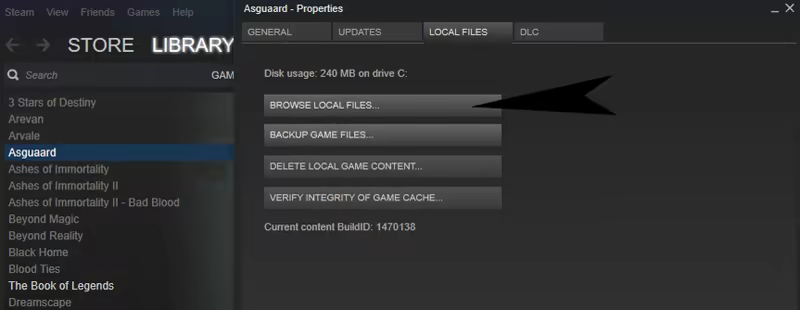
Or directly from the Steam Client, first right-click on the game, then select:
Properties > Local Files > Browse Local Files
C:\Users[Your Name]\AppData\Roaming\Moonchild_Saves
If asked to overwrite, either make sure the savefile you're going to replace with the new
one is not an important one, or else change the number of your savefile to a free one.
If you receive a warning message about achievements, ignore it.
Calypso Super Queen (Save3.rxdata)
Have Queen Calypso and Gabriel start at Lv20 and with a boost in gold.We are an Army (Save4.rxdata)
Start the game with ALL the characters in your party, including hidden ones.We are an Army and Susanna is our Leader (Save5.rxdata)
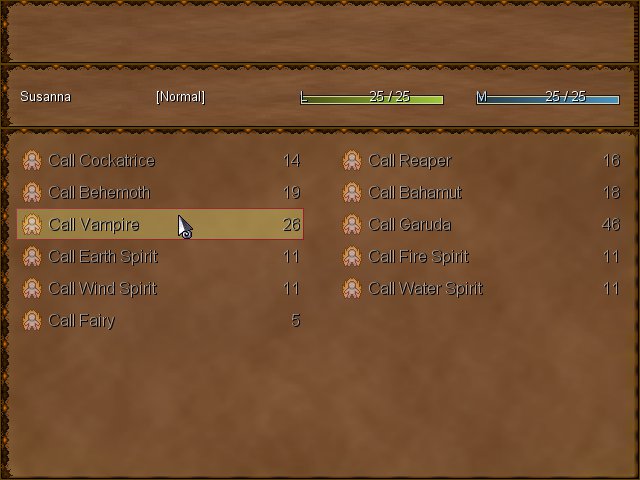
Play the game in Hard Mode with ALL the characters in your party, and your Caller Susanna also has all her summonings from the beginning.How to find the super save files
From your computer, go to:
C:\Program Files (x86)\Steam\steamapps\common
Then select the game folder.
Or directly from the Steam Client, first right-click on the game, then select:
Properties > Local Files > Browse Local Files
EXAMPLE
How to use the super save files
Copy/paste any of the provided savefile to:C:\Users[Your Name]\AppData\Roaming\Moonchild_Saves
If asked to overwrite, either make sure the savefile you're going to replace with the new
one is not an important one, or else change the number of your savefile to a free one.
If you receive a warning message about achievements, ignore it.